How to Recover Deleted Phone Numbers: Complete Guide to Deleted Contacts Recovery
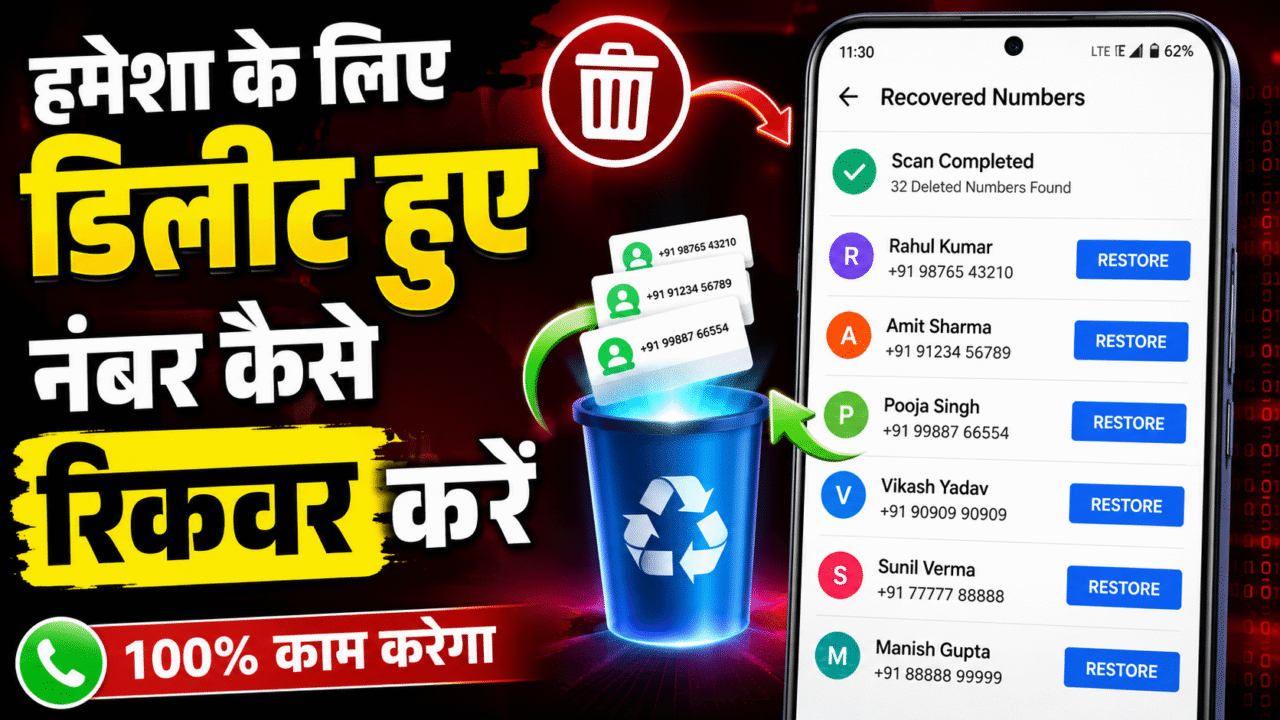
How to Recover Deleted Phone Numbers: Complete Guide to Deleted Contacts Recovery
Have you accidentally deleted an important phone number from your smartphone? Don’t worry. In many situations, a deleted phone number or contact can still be recovered, depending on your device, backup settings and how recently the contact was removed.
In this guide, we will explain how to recover deleted phone numbers, how to check Recently Deleted contacts, how Google Contacts and iPhone backups can help, and what you should know about third-party contact recovery software. We will also explain which recovery methods are safer and when professional data recovery may be necessary.
Can Deleted Phone Numbers Be Recovered?
Yes, sometimes a deleted phone number can be recovered. The chances are generally better when the contact was deleted recently and your contacts were synchronized with a service such as Google Contacts, iCloud, or another backup system.
Before installing any recovery application, check the built-in recovery options on your phone. These methods are usually safer, easier and less complicated than using third-party data recovery software.
1. Check Recently Deleted Contacts
One of the first things you should check is whether your contacts application has a Recently Deleted, Trash, or similar recovery section. Some contact services temporarily keep deleted contacts before permanently removing them.
- Open your Contacts application or contacts service.
- Look for Trash, Recently Deleted, Recycle Bin, or a similar option.
- Find the deleted contact you want to restore.
- Select the contact and choose Restore.
The exact menu and retention period can vary by device, operating system and service. If you do not see a Recently Deleted option, move on to the backup methods below.
2. Recover Deleted Contacts Using Google Contacts
For many Android users, Google Contacts can be an important place to check when a phone number has been deleted. If contacts were synchronized with your Google Account, an older version of your contacts may still be available through the account’s recovery or change-history features.
Open your Google Contacts account and check whether the deleted contact is available through the available recovery options. If you recently made a large number of unwanted changes to your contacts, restoring an earlier state may also be useful.
This method is particularly useful when the contact was synchronized before it was deleted from the phone.
3. Recover Deleted Phone Numbers on iPhone
iPhone users have different recovery options because contacts can be synchronized through iCloud or other accounts. If your contacts were synchronized with iCloud, check your account’s available data recovery features.
You can also check whether the missing contact exists in another account that was previously connected to your iPhone, such as a Google, Microsoft, or other contacts account.
Before restoring an older backup, make sure you understand what data may be affected. Restoring a backup can replace newer information with an earlier version, so it is important to choose the recovery method carefully.
4. Check Your Phone Backup
Another useful method for deleted contacts recovery is checking your existing phone backup. Depending on your device and backup configuration, contact information may have been synchronized or backed up automatically.
- Check your Google Account or Android backup options.
- Check iCloud or other account synchronization on iPhone.
- Look for an older device backup.
- Check whether contacts were stored in a separate account.
- Look for previously exported contact files.
If you regularly create backups, recovering a deleted phone number can be much easier than trying to recover data after permanent deletion.
5. Can Contact Recovery Apps Recover Deleted Numbers?
You may find many applications and computer programs that advertise features such as deleted contact recovery, Android data recovery, or phone data recovery.
Some well-known data recovery products include software from companies such as Dr.Fone, EaseUS, and other mobile data recovery providers. Their available features, supported devices and recovery capabilities can change over time.
These tools should not be treated as guaranteed solutions. Modern smartphones use encryption, app-level permissions and other security mechanisms that can make recovery of permanently deleted information difficult or impossible.
6. What Should You Do Before Using Recovery Software?
If an important phone number has just been deleted, avoid making unnecessary changes to the device until you have checked your available backups and recovery options. Depending on the type of data and device, additional activity can make some recovery situations more difficult.
Also check the application’s permissions before installing any recovery software. A contact recovery application may request access to contacts, storage or other device data. Only grant permissions that you understand and are comfortable providing.
7. When Should You Consider Professional Data Recovery?
If the phone contains extremely important information and normal backup methods have failed, professional data recovery services may be an option.
Professional recovery can be expensive, and success is not guaranteed. The right approach depends on the phone model, storage technology, operating system, physical condition of the device and whether the information still exists on the storage.
For ordinary deleted contacts, however, checking Recently Deleted folders and cloud backups should usually be your first step.
How to Prevent Losing Phone Numbers in the Future
The best contact recovery method is prevention. Keeping your contacts synchronized with a trusted account or maintaining regular backups can make future recovery much easier.
- Keep important contacts synchronized with a trusted account.
- Maintain regular device backups.
- Export important contacts when necessary.
- Avoid deleting contacts without checking them carefully.
- Review the privacy policy of third-party contact apps.
Frequently Asked Questions
Can I recover a deleted phone number?
Yes, in some cases. Check Recently Deleted, Trash, Google Contacts, iCloud, connected accounts and available backups first.
How can I recover recently deleted contacts?
Open your contacts service and look for Recently Deleted, Trash or Recycle Bin. If the contact is still available there, you may be able to restore it.
Can Google Contacts recover deleted numbers?
If the contact was synchronized with your Google Account, available recovery or change-history features may help restore an earlier version of your contacts.
Can iPhone contacts be recovered after deletion?
Sometimes. Check iCloud, connected accounts and available backups. The available options depend on how your contacts were synchronized and backed up.
Do deleted contact recovery apps always work?
No. Recovery software cannot guarantee that permanently deleted contacts will be recoverable. Results depend on the device, backup availability and the state of the data.
Can I recover someone else’s deleted phone numbers?
You should only recover or access contact information from a device or account that you own or are authorized to use. Legitimate recovery software does not provide unauthorized access to another person’s private data.
Conclusion
If you are searching for how to recover deleted phone numbers, start with the simplest and safest options. Check Recently Deleted contacts, Google Contacts, iCloud, connected accounts and your existing phone backups before trying third-party recovery software.
Applications and professional data recovery tools may be useful in certain situations, but they cannot guarantee recovery of permanently deleted contacts. Always verify the software, understand its permissions and use it only with data that you are authorized to access.
For the future, keeping your contacts synchronized and maintaining regular backups is one of the easiest ways to protect important phone numbers from accidental deletion.
Recover Deleted Contacts
Select a recovery period to start a contact recovery scan.
 Help
Help