Mobile Projector Apps – How to Use Them and Key Features Explained
Mobile Projector Apps – How to Use Them and Key Features Explained
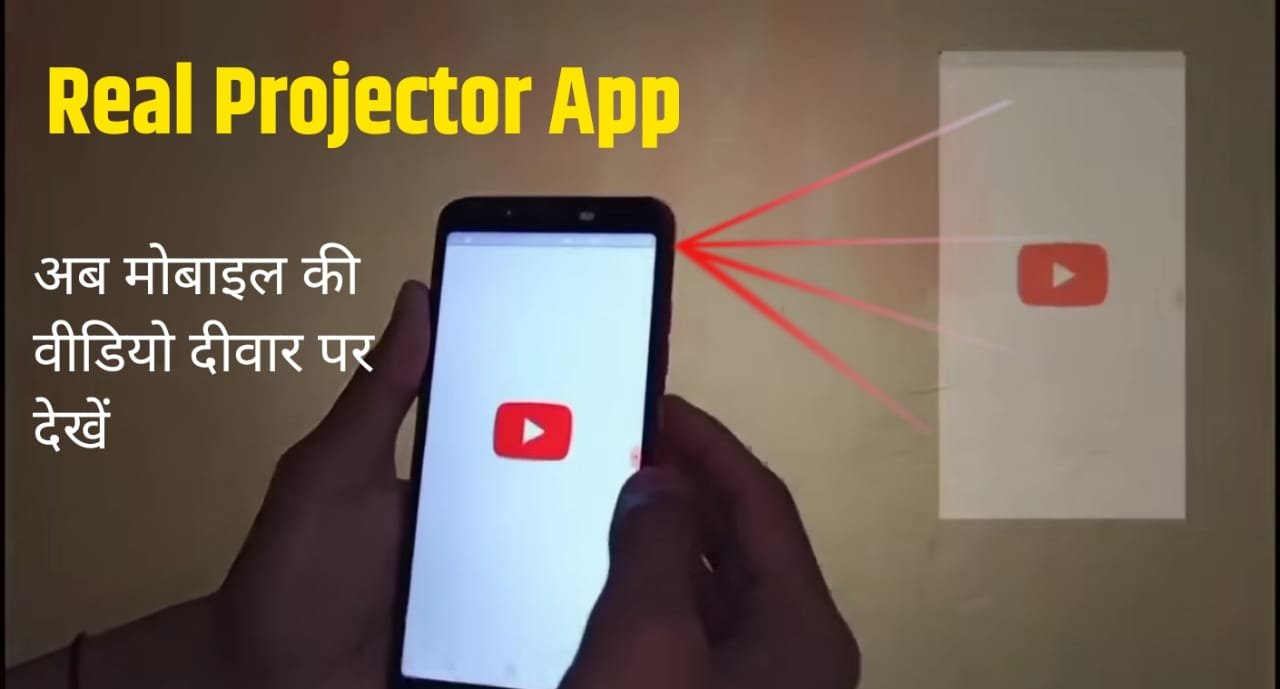
In today’s digital era, people are always curious about new technologies that make entertainment more exciting. One such trend is Mobile Projector Apps that claim to project images or videos from your smartphone onto a wall using the flashlight or screen reflection. These apps are designed for fun and experimental purposes, and many users enjoy testing them out just to see how they work.
In this article, we will explore how these apps work, what features they provide, and how you can use them step by step. We will also compare different types of projector-style apps available on app stores and highlight their unique offerings.
🔹 How Mobile Projector Apps Work
Mobile projector apps usually simulate the effect of a projector by making the phone’s flashlight or screen light appear brighter and shaped in such a way that it looks like something is being projected on the wall. Some apps use flashlight-based tricks, while others create virtual projector screen effects that can be enjoyed on the phone display itself.
These apps are not the same as a real hardware projector, but they give users a fun experience of seeing how their phone might behave like a mini projector.
🔹 Key Features of Mobile Projector Apps
Most projector-style apps come with a variety of features to enhance the experience. Here are the common features you will find:
1️⃣ Flashlight Projector Simulation – Uses your phone flashlight to create a bright projection-like effect on the wall.
2️⃣ Screen Projector Effect – Some apps turn your phone screen into a fake projection view with realistic lighting and shadows.
3️⃣ Image & Video Projection Mode – Users can select an image or video from their gallery and the app will create a projection-style effect.
4️⃣ Live Camera Projection – A few apps allow you to open the camera and simulate a real-time projection of whatever the camera sees.
5️⃣ 3D Projector Effects – Advanced apps come with 3D light effects that make the projection look more realistic.
6️⃣ Wallpaper & Theme Projection – Many apps allow you to apply custom wallpapers, patterns, or even funny animations to project.
7️⃣ Adjustable Brightness & Contrast – You can control the brightness level of the simulated projector effect.
8️⃣ Entertainment Mode – Some apps are designed as prank tools where you can “pretend” to project a movie or game on the wall.
🔹 How to Use Mobile Projector Apps
Using these apps is very simple. Here’s a step-by-step guide that applies to most of them:
👉 Step 1: Download and install any mobile projector simulation app from the app store.
👉 Step 2: Open the app and allow necessary permissions (camera, gallery, flashlight, etc.).
👉 Step 3: Select the mode you want – image projection, video projection, or live camera projection.
👉 Step 4: Place your phone near a plain wall or flat surface.
👉 Step 5: Adjust brightness and angle for the best effect.
👉 Step 6: Enjoy the fun illusion of your mobile projector!
🔹 Types of Mobile Projector Apps (Comparison)
There are different categories of projector-style apps available. Let’s compare them:
✨ Flashlight-Based Apps – These apps use your phone’s flashlight to create bright shadows on the wall. They are simple and fun for quick entertainment.
✨ Screen Simulation Apps – Instead of using a flashlight, these apps display a projector-like interface on your phone screen. Best for prank videos and fun sharing.
✨ Camera Projection Apps – These apps let you project whatever your phone camera captures. It looks interactive and engaging.
✨ Wallpaper Projector Apps – Perfect for customizing your projection with wallpapers, animations, or effects.
✨ Video Projector Apps – These simulate projecting movies or videos. They are quite popular among entertainment lovers.
🔹 Why People Use These Apps
✔️ For fun and entertainment with friends.
✔️ To create prank videos or social media content.
✔️ To simulate a projector experience without spending money.
✔️ To enjoy unique visual effects that normal phone usage doesn’t offer.
🔹 Final Thoughts
Mobile projector apps are a great way to have some fun and entertainment with your smartphone. Whether you want to prank your friends, make cool videos, or simply enjoy the simulation of projecting movies on a wall, these apps give you an exciting option to try.
From flashlight-based effects to video simulations and live camera projections, every app offers something unique. So, explore the different types, try their features, and enjoy the fun experience of turning your phone into a virtual projector!
One of the most fascinating aspects of modern technology is how a simple mobile phone can transform into a projection tool with the help of innovative apps. These applications allow users to simulate a projector-like experience, where the phone’s flashlight and screen settings are optimized to display visuals on a wall or flat surface. The process is incredibly easy—users just need to open the app, select the media they want to showcase, and adjust the brightness and orientation according to their environment. Many of these apps also come with advanced customization options like screen size adjustment, contrast enhancement, and immersive visual effects, giving the illusion of a high-end projection setup without the need for expensive hardware. This makes them perfect for casual entertainment, quick presentations, or simply exploring how digital tools can enhance everyday experiences.


 Help
Help